Mastering PowerPoint Presentations with AI: A Step-by-Step Guide
In today's digital age, creating captivating PowerPoint presentations is not just an art—it's a science. With the integration of Artificial Intelligence (AI), crafting impactful slideshows has become more accessible and efficient than ever before. Whether you're a seasoned professional or a beginner, harnessing the pow

In today's digital age, creating captivating PowerPoint presentations is not just an art—it's a science. With the integration of Artificial Intelligence (AI), crafting impactful slideshows has become more accessible and efficient than ever before. Whether you're a seasoned professional or a beginner, harnessing the power of AI can elevate your presentations to new heights. In this comprehensive guide, we'll walk you through the steps to create stellar PowerPoint presentations using AI.

Understanding the Power of AI in PowerPoint Presentations
AI empowers presenters to streamline their workflow, enhance design elements, and refine content for maximum impact. By leveraging AI tools, you can save time on tedious tasks, such as creating visually appealing layouts, generating relevant content, and refining your overall presentation style.

Step 1: Topic Selection and Keyword Research
Before diving into your presentation, identify your target audience and the key message you want to convey. Conduct keyword research to understand the language your audience uses when searching for related topics. Use tools like Google Keyword Planner, SEMrush, or Ahrefs to discover relevant keywords and phrases.
Step 2: Crafting Compelling Content with AI
AI-powered content generation tools can assist in developing engaging and informative slides. Platforms like Frase, Writesonic, or Copy.ai help create outlines, generate text, and suggest improvements based on your input..
Step 3: Designing Visually Stunning Slides
Visual appeal plays a crucial role in maintaining audience engagement. AI-driven design tools like Canva, Visme, or Designhill offer templates, graphics, and layouts tailored to your content.

Step 4: Enhancing Presentations with AI Features
Explore AI features within PowerPoint itself to add interactivity and dynamic elements to your slides.
Step 5: Rehearsing and Refining Your Delivery
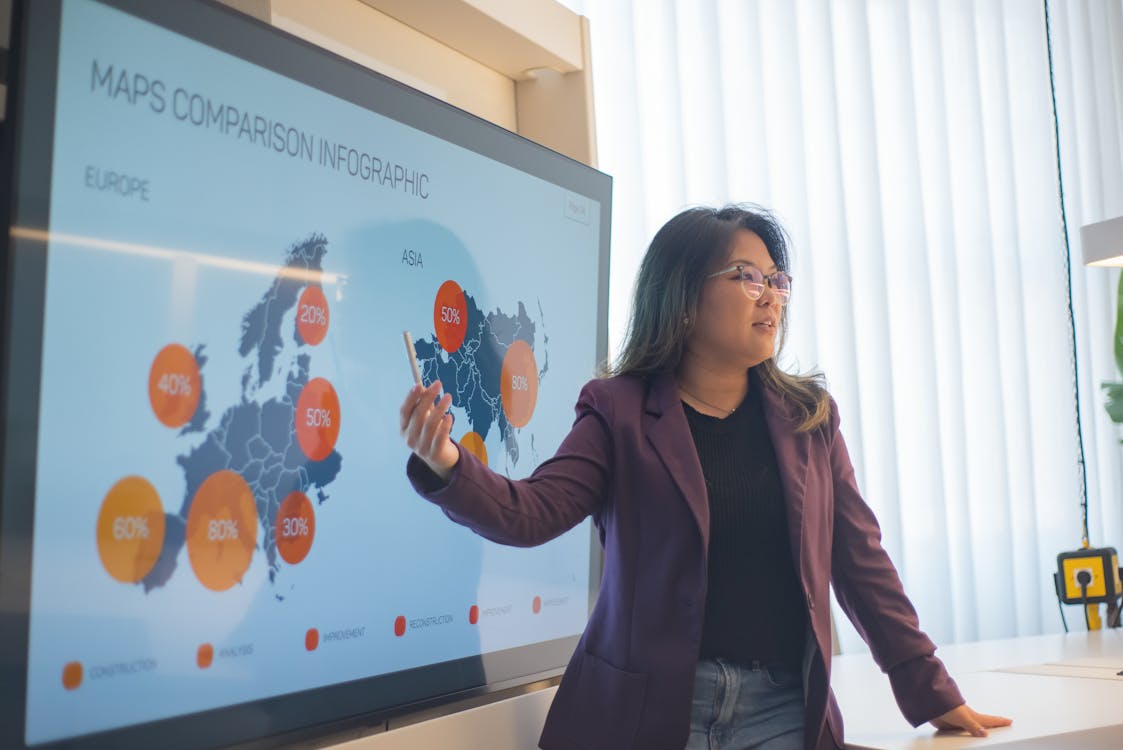
Practice makes perfect when it comes to delivering a compelling presentation. Use AI-driven tools such as Speechnotes, Otter.ai, or Grammarly to rehearse your speech, refine your delivery, and ensure clarity and coherence.
Step 6: Sharing and Distributing Your Presentation
Once your masterpiece is ready, it's time to share it with the world. Leverage AI-driven platforms like SlideShare, Slidebean, or Zoho Show to publish and distribute your presentation online.
Step 7: Analyzing Performance and Iterating
Track the performance of your presentation using AI analytics tools such as Google Analytics, SlideShare Analytics, or Hotjar. Monitor metrics such as views, engagement, and feedback to gain insights into audience preferences
By harnessing the power of AI, you can create exceptional PowerPoint presentations that captivate audiences and drive engagement. Follow these steps to seamlessly integrate AI tools into your workflow, from content creation to design, delivery, and analysis. With AI as your ally, your presentations are sure to leave a lasting impression while ranking high in search engine results. Elevate your storytelling, amplify your message, and make every slide count with AI-powered PowerPoint presentations.
More from AI

Artificial Intelligence (AI) is revolutionising customer service, and at the forefront of this transformation are AI-powered chatbots. With their ability to enhance customer experience and streamline operations, these intelligent bots are being rapidly adopted by businesses across various sectors. Recent data shows tha

Artificial Intelligence (AI) has become an integral part of our daily lives, influencing how we work, learn, and interact. Yet, there remains a fundamental debate: how does AI compare to human intelligence? While both AI and human intelligence possess unique strengths and capabilities, they differ significantly in how

The rapid evolution of artificial intelligence (AI) is transforming industries and reshaping the future of work. As businesses increasingly adopt AI technologies, the way we work, the skills we need, and the roles we perform are changing dramatically. This article explores the key trends and impacts of AI on the future
Stay in the loop
Get the latest articles delivered to your inbox. No spam, unsubscribe anytime.
Top Websites to Find Jobs in India: Your Gateway to Career Opportunities
In today's competitive job market, finding the right job can often feel like searching for a needle in a haystack. Fortunately, the digital age has brought with it a plethora of online job portals that connect job seekers with employers across various industries. Whether you're a fresh graduate eager to kickstart your
Continue Reading